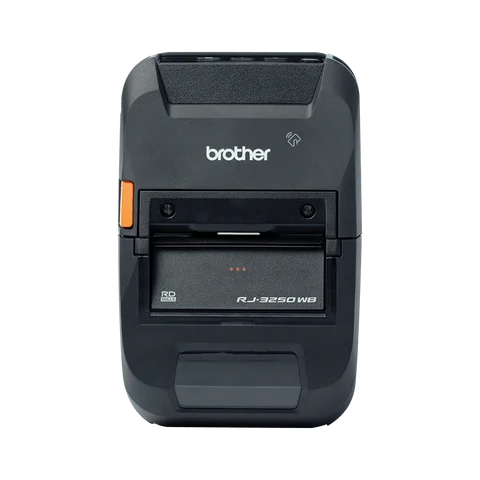
Store staff3-inch mobile

Brother RJ-3250WB

A portable, battery-powered printer you can carry around the kitchen or store floor.

Brother RJ-3250WB
Models
RJ-3250WB3-inch mobile printer. Battery or mains power.
BluetoothApp: iOS and Android
1

Connect with Bluetooth

Works with the Dill app on iPhone, iPad and Android.

  1. Charge it and switch on

    Plug it in or make sure the battery is charged, then press the power button.

  2. Turn on Bluetooth in Classic mode

    Make sure Bluetooth is on and set to Classic mode only.

  3. Pair it with your phone or tablet

    In your Bluetooth settings, tap the printer with the printer icon next to it. Its name starts with RJ.

  4. Connect in the Dill app

    Log in, tap the printer button at the top of Home, pick Bluetooth and tap Connect. The square turns green.

2

Load a label roll

  1. Open the roll cover and drop the roll in

    Lift the cover lever, open the compartment and put the roll in.

  2. Line up the labels

    Pull the end of the labels out so they sit between the guide lines, past the tear bar.

  3. Close the cover

    Push it shut until it clicks.

3

Keep it clean

  1. Switch off and unplug

    Hold the power button until the status light blinks red and the power light goes off. Then unplug it.

  2. Take out the roll

    Open the roll compartment with the cover lever and take the roll out.

  3. Wipe the print head

    Lightly dampen a cotton swab or lint-free cloth (not dripping). Wipe the thin strip inside the compartment.