
Your printer
Pick your printer to connect it, load labels and keep it clean. The model name is printed on the printer and on the sticker on the back or underneath.
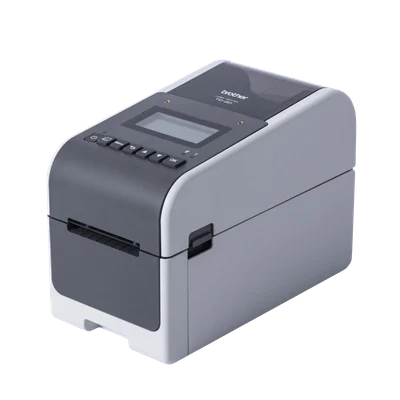
TD-2D series
TD-2350D · TD-2350DF · TD-2350DSA · TD-2350DFSA · TD-2350DSAHOur standard 2-inch printer, with a small screen and buttons. Bluetooth or Wi-Fi.
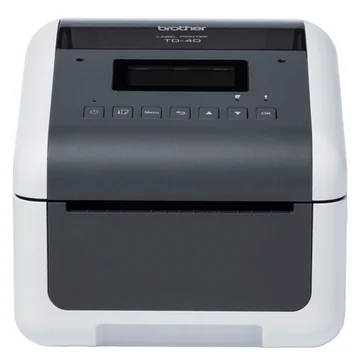
TD-4D series
TD-4550DNWB · TD-4555DNWBWider 4-inch printer with a screen and buttons. Bluetooth, Wi-Fi or a network cable.
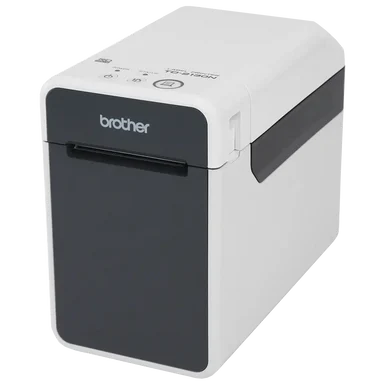
TD-2 series
TD-2125N · TD-2135N · TD-2125NWB · TD-2135NWBOlder 2-inch printer with three buttons on top. Network cable, and Bluetooth on NWB models.
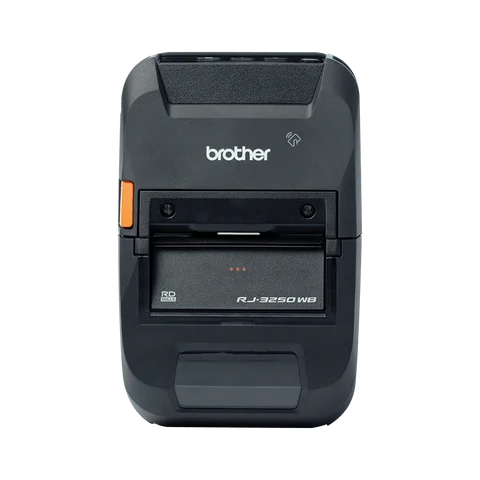
RJ-3250WB
RJ-3250WBPortable 3-inch printer with a battery. Bluetooth.
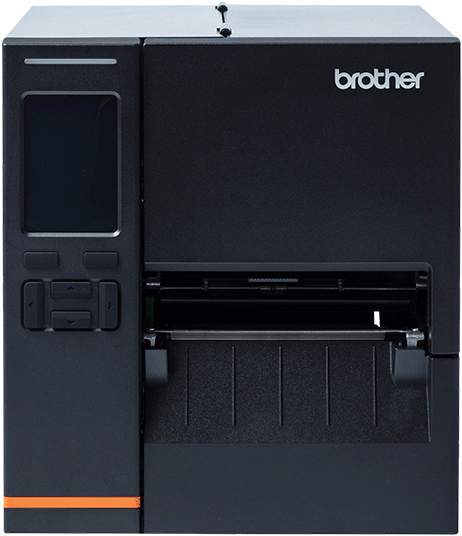
TJ series
TJ-4121TNIndustrial 4-inch printer for central kitchens. Plugged into your router with a cable.
Bluetooth is one to one
A Bluetooth printer pairs with one phone or tablet at a time. To print from another device, unpair the first one. Many sites keep one tablet just for printing.
Wi-Fi and network: same network
The printer and your phone or tablet must be on the same network. Office or guest networks with extra security can block printing.
Green means ready
After you tap Connect, the square at the top turns green. It should be green whenever you print. Tap refresh to pull in new items.