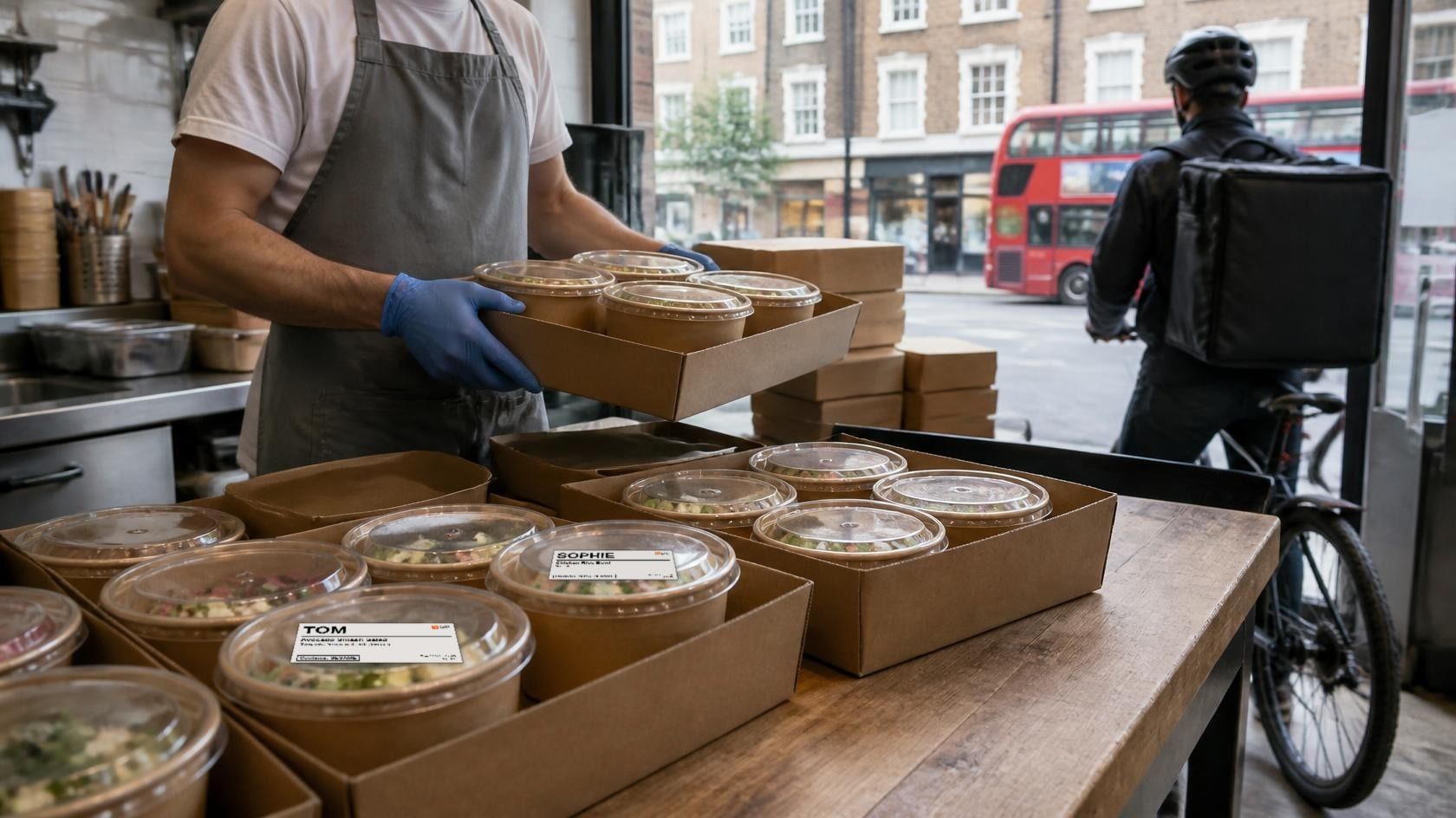
It's 11:20 in a central kitchen. The team is packing a 32-person office lunch for a 12:00 drop, with a steady run of delivery orders coming through behind it. Halfway down the lunch order there's one line that matters more than the rest: "Tom, chicken rice bowl, no milk."
The bowls all look the same once the lids are on. The ticket for the bag says "no milk". The bowl inside says nothing. When Tom opens the bag at his desk, how does he know which bowl is his, and that the yoghurt dressing was swapped out?
He usually doesn't. In research for the Food Standards Agency, adults with a food allergy or intolerance who ordered remotely and told the business about it were asked what came back. Only 18% said they got written confirmation that their requirements had been met via a label, flag or sticker on the food (FSA, October 2025).
Here's what the law asks of delivery and online orders, what the FSA recommends on top, and how to get the right sticker on every dish.
Allergen labelling for delivery in 60 seconds
- Law: for non-prepacked food sold at a distance (online, app, phone), allergen information must be available free of charge before the order is placed and again at the moment of delivery.
- Not law: a sticker on each dish. The law says the information has to be there at delivery, not what form it takes.
- PPDS rules don't apply to food sold by distance selling. Food packed after the customer orders it isn't PPDS food.
- FSA best practice: put written allergen information on delivery, and its own example is a sticker on each food container listing the allergens in that dish.
- The gap: most kitchens print a ticket for the bag, not a label for the dish. That's how "no milk" gets lost between the pass and the desk.
What the law says about distance selling and allergens
The rule comes from Article 14 of Regulation 1169/2011 as it applies in the UK, and the FSA's technical guidance spells out what it means for a kitchen.
For non-prepacked food sold by distance selling, the mandatory allergen information has to be available to the customer, for free, at two points: before the purchase is concluded, and at the moment of delivery (FSA technical guidance).
The same guidance lists ways to provide it at delivery:
- stickers on food containers identifying the allergenic ingredients
- a menu supplied with the order
- written information with clear cross-references to each item
So you have a choice of method. You don't have a choice about whether the information arrives with the food.
Why PPDS doesn't apply to delivery, and where it still does
This trips a lot of people up. The PPDS rules that came in with Natasha's Law do not cover delivered or online orders. The FSA's guidance for takeaways says it plainly: the new labelling requirements "do not apply to food sold by means of distance selling", which includes food bought over the phone or on the internet (FSA PPDS guidance for takeaways).
The technical guidance adds that food placed into packaging after a customer orders it is not PPDS food. Tom's rice bowl, made and lidded after the office placed its order, isn't PPDS.
Where it still applies: if the same central kitchen packs sandwiches and salads ahead of time to sell from a counter or fridge on the same premises, those are PPDS and need the full label. If that's you, we've written up food to go allergen labelling separately.
What the FSA recommends: written allergen information on delivery
In February 2025 the FSA published best-practice guidance for non-prepacked food. It's voluntary, but it's the clearest statement of what good looks like (FSA best practice).
For distance sellers it says written allergen information should be available before the food is ordered, and should also be provided on delivery "so the consumer can review it before eating the food".
One example it gives at dish level is a sticker on the food container that names the allergens in that dish (the other is a menu supplied with the order). The FSA's own sample reads "Chicken satay: Contains: wheat, soy, fish, peanut".
Two more points from the same guidance matter for catering:
- Pre-ordered catering: talk to individuals about allergens on the day. The guidance says it may not be enough to rely only on information supplied in advance.
- Third-party platforms: tell customers where to find allergen information before they order.
In the same FSA study, 87% of adults with a food allergy or intolerance said they trust printed or written information, against 75% for verbal. And 42% had a reaction to non-prepacked food in the previous six months.
Where it breaks today
- Catering platforms send files, not labels. A lot of office food platforms already know each person's name, dish and allergens. That data reaches the kitchen as a PDF or label file someone has to download and print by hand.
- Delivery tablets print tickets for the bag. The ticket shows the order, the modifiers and who it's for. It goes on the outside of the bag. Once three bowls are in there, the ticket can't tell you which one had the dressing swapped.
- POS item stickers identify the item, not the allergens. Most POS and kitchen display systems can print a sticker per item with the name and modifiers. They rarely show allergens, and a "no milk" request ends up as one more modifier line in small print.
What a good dish label carries
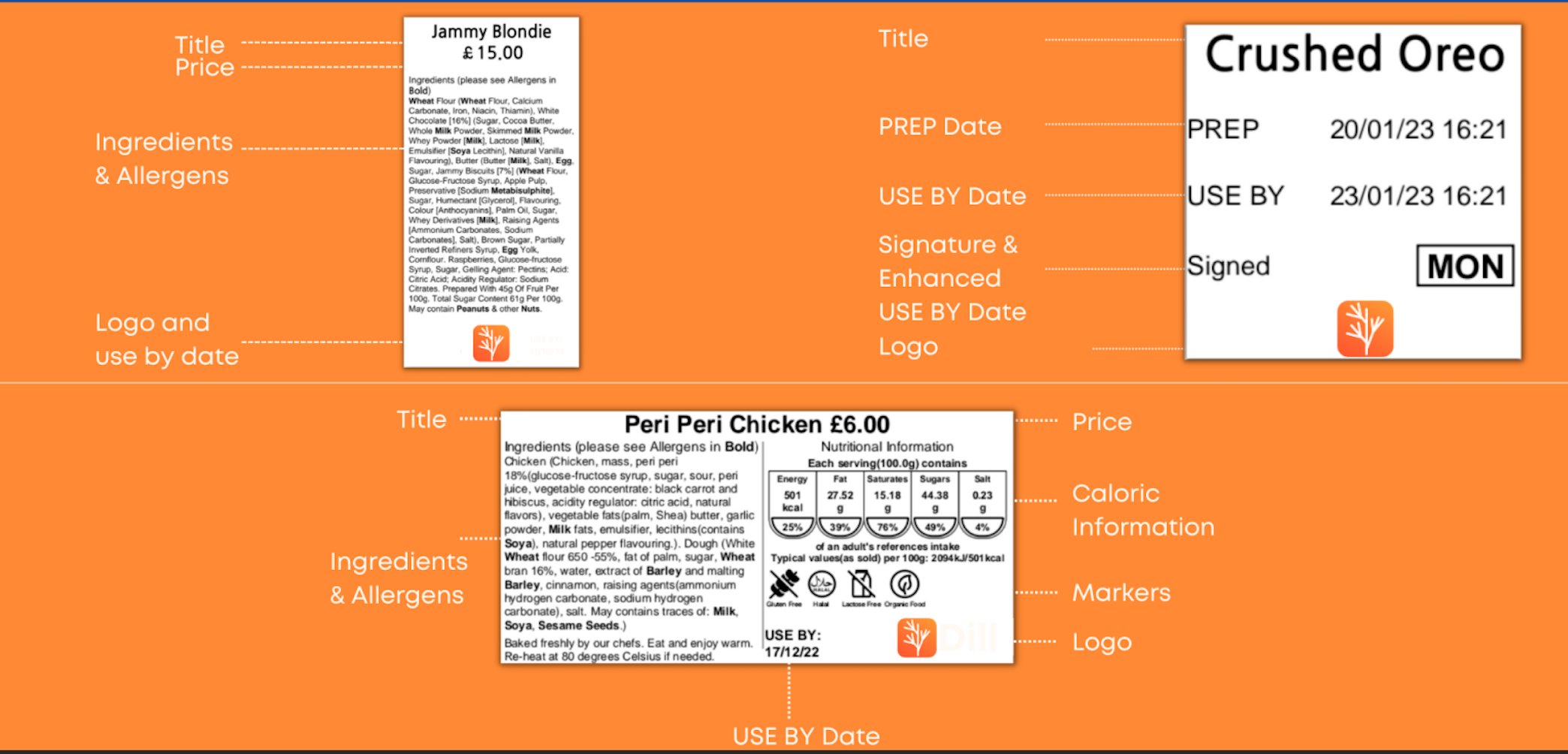
A dish label should let the person eating it answer two questions without asking anyone: is this mine, and is it safe for me? That means:
- Dish name, as it appears on the menu the customer ordered from.
- First name for individual meals, so the right bowl reaches the right desk.
- Allergens in capitals, using the UK allergen names (MILK, SESAME, CELERY and so on).
- Modifiers that change the allergens, written plainly ("Swapped: lemon and herb dressing, no yoghurt").
- Dietary tags if they were ordered (vegan, vegetarian).
- Date made and who made it, so any question has somewhere to go.
- Your business name.
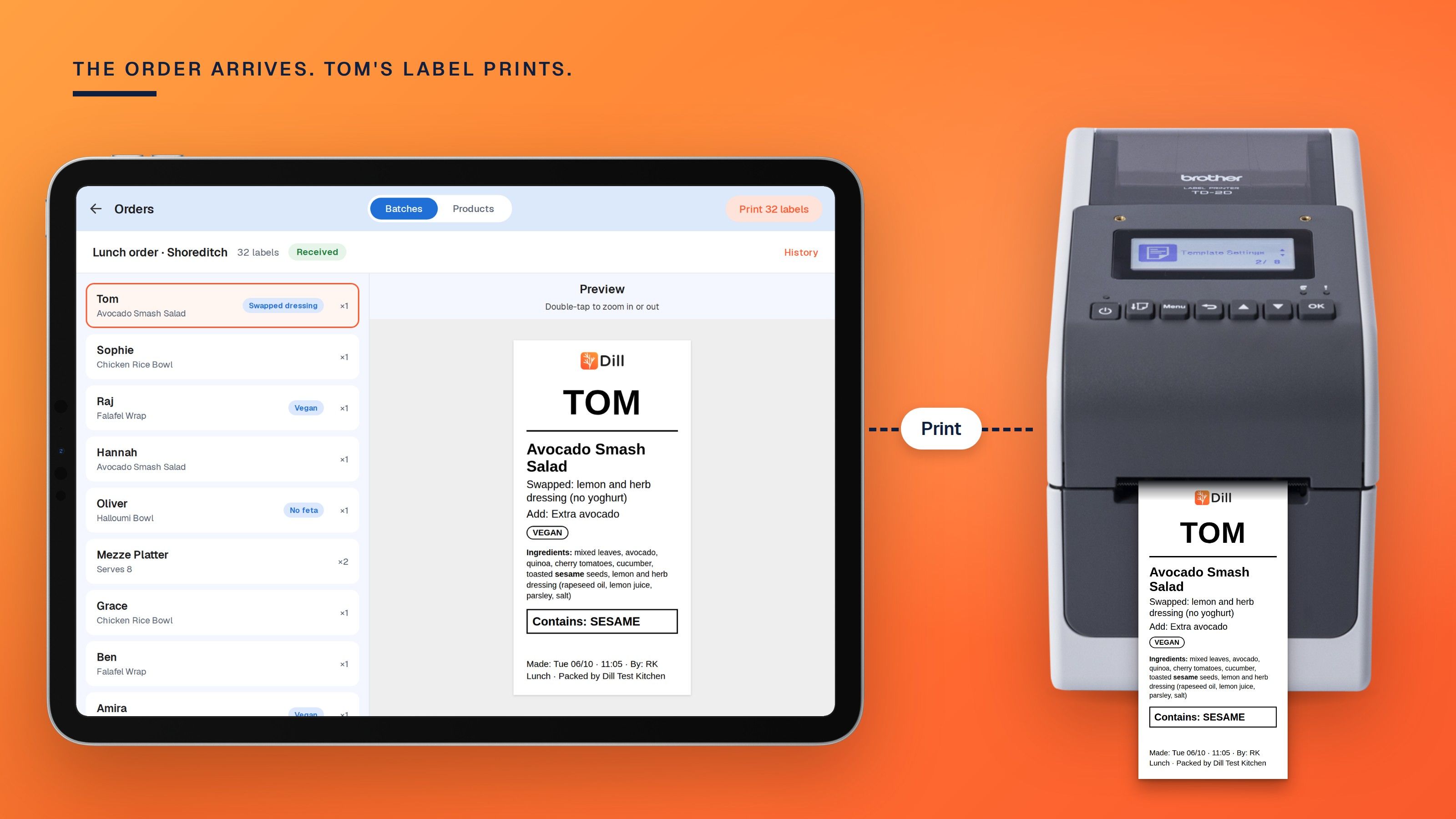
Here's Tom's bowl:
Chicken Rice Bowl · TOM
Swapped: lemon and herb dressing (no yoghurt)
Contains: SESAME, SOYA, WHEAT
Made: Tue 06/10 · 11:05 · By: RK
Lunch · Packed by Dill Test Kitchen
And a sharing dish from the same order, labelled for the table rather than a person:
Mezze Platter · Serves 8
Contains: SESAME, MILK, WHEAT, CELERY
Vegetarian
Made: Tue 06/10 · 10:40 · By: AJ
Packed by Dill Test Kitchen
A checklist for delivery and catering orders
- Make sure allergen information is visible before ordering on every channel you sell through: your site, phone orders and any platform that lists you.
- Decide how allergen information travels with the food. A sticker on each dish is the FSA's example and the hardest to lose.
- Pull allergens from your recipes, not from memory. If a recipe changes, the label should change with it.
- Put the customer's first name on individual meals in group orders.
- Write allergen-changing modifiers in full on the label, not just on the bag ticket.
- Have a person check labels against the order before they go on the food.
- For pre-ordered catering, check allergens again on the day with the person, not just the booking.
- Keep a record of what you labelled, so you can answer "what did we send out on Tuesday?"
How Dill handles it
Ordering platforms, central kitchens and catering brands can send print work straight into a site's Dill queue. No re-keying the order, and no PDFs to download and print.
Work arrives in one of two shapes. A batch is a named group of labels printed in one run, like a whole office lunch or a shift's prep list, with a copy count per item. A product is a single line item printed on its own, for the order that needs one label now.
Staff see the queue on a tablet or phone, check each label on screen and press Print. Nothing prints until a person confirms it, so someone has looked at Tom's label before it goes on his bowl. Each job shows whether it's received, printing, completed or in error, and cancelling puts it back in the queue.
If the printer jams or a template is missing halfway through a 32-label run, the run pauses on that label. You see how many printed and which one failed, then retry it or cancel the rest. Nothing gets silently skipped. One batch can also mix label sizes: individual bowls on one size, platters on another, each printing on its own template's paper.
The details the platform sends are laid out on your own template, and anything it doesn't send falls back to the template default. Allergens and ingredients can come from your kitchen's own recipes in Dill, so the label matches what you cooked.
Every printed label is logged with the exact values on it, the template, copies and the time, and you can pull the history by date range. Label stock goes down by what actually printed, which helps with reordering. There are no drivers to set up and no label sizes to work out.
Dill runs on Brother label printers, with other hardware on request, and connects to POS data from Clover, Lightspeed, EposNow, CyBake and PosHub. It also prints prep and rotation labels, grab-and-go and made-to-order labels. Hundreds of businesses, with thousands of sites between them, have printed over 65 million labels with it.
If you run an ordering platform
Central kitchen networks, contract caterers and office food platforms already hold the data that belongs on the label: who ordered, what, and what they need to avoid. The hard part is getting it onto the food the same way at every kitchen.
With Dill, you send print work to each kitchen's queue: a batch for a group order, a single product for one meal. The label can carry the dish, the customer's first name, modifiers, allergens and dietaries, laid out on the kitchen's own template, with your logo if you want it. Their staff check it and print it, and every label is logged, so when a client asks what went out, there's an answer. Partner kitchens stop downloading files.
We build around the workflow you bring, so it adapts as your operators' needs change. If you run a platform, book a demo and bring one of your group orders.
See it on a real order
Bring a real lunch order, ideally one with a "no milk" in it, and we'll show you every dish labelled and logged. Book a demo.
FAQ
Do takeaway and delivery orders need allergen labels in the UK?
The law requires allergen information to be available before purchase and at delivery, but it doesn't require it to be a label. A sticker on each dish is the FSA's best-practice example and the clearest way to meet the delivery requirement.
Does Natasha's Law apply to food delivery?
No. The FSA says the PPDS requirements don't apply to food sold by distance selling, including online and phone orders. They do apply to food you pack in advance and sell on the same premises.
What are the distance selling allergen rules?
For non-prepacked food, mandatory allergen information must be free and available before the purchase is concluded and at the moment of delivery. Stickers on containers, a menu with the order or cross-referenced written information can all meet the delivery part.
What should a takeaway allergen sticker say?
At minimum, the dish name and the allergens it contains. For group and catering orders, add the person's first name, any allergen-changing modifiers, the date made and your business name.
Do catering pre-orders need anything extra?
The FSA's best-practice guidance says to discuss allergens with individuals on the day, because information collected in advance may not be enough on its own.
Does anyone check Dill order labels before they print?
Yes, always. Orders land in the kitchen's queue and a person checks and prints them, so every label is seen before it goes on the food.